Text-to-Video vs Image-to-Video: Which Workflow Should You Use?
Compare text-to-video and image-to-video by creative control, source assets, iteration cost, continuity, and delivery goals, then choose the right workflow for each shot.
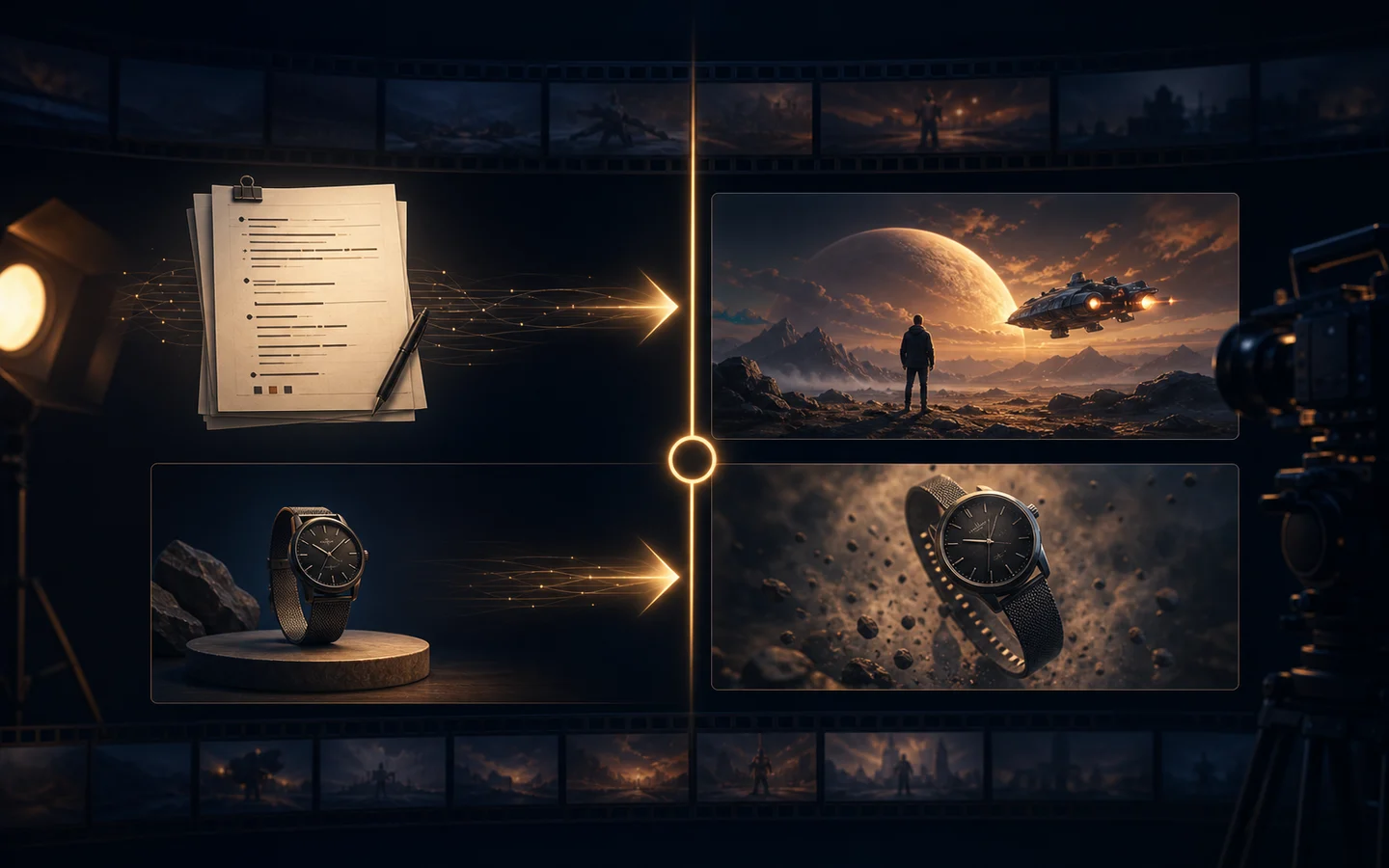
Text-to-video and image-to-video can produce similar-looking clips, but they solve different production problems. Text-to-video begins with an open brief and asks the model to invent the scene. Image-to-video begins with an approved frame and asks the model to preserve it while adding motion.
The right choice depends less on which model is popular and more on where the creative truth already lives. If the idea exists only as words, start with text. If the subject, composition, product, or character is already approved in an image, start with that image.
Quick recommendation
- Choose text-to-video for concept exploration, new environments, story beats, and shots where exact identity is not yet fixed.
- Choose image-to-video for product shots, portraits, illustrations, posters, and campaign visuals that already have an approved starting composition.
- Choose reference-to-video when one image cannot describe all required angles, materials, wardrobe, or character details.
- Use the AI Video Generator to compare current model controls, and use the Reference to Video AI Generator when continuity needs several visual sources.
What text-to-video controls well
Text-to-video gives the prompt responsibility for nearly everything: subject, action, environment, camera, lighting, mood, pacing, and ending. That freedom is useful when you want the model to discover a visual direction.
It works best when:
- You are exploring several campaign concepts before approving a key visual.
- The scene does not depend on an exact existing product or person.
- The environment is more important than a precise first frame.
- You can generate several candidates and select the strongest direction.
The main risk is decision overload. A vague prompt leaves too many choices to the model. “A cinematic car advertisement” does not define the car, road, time of day, camera move, speed, reflections, or final frame. A stronger brief assigns those decisions explicitly.
A compact electric coupe drives through a wet modern city at blue hour. Low front three-quarter tracking shot, restrained speed, realistic tire spray, cool storefront reflections, stable vehicle geometry, no text. End on a clean side profile beneath a warm streetlight.What image-to-video controls well
Image-to-video uses the source image as the starting contract. The subject, framing, palette, and visual style are already visible, so the prompt can spend more attention on motion.
It works best when:
- A product image, portrait, illustration, or poster has already been approved.
- The opening frame must be recognizable.
- You need a short orbit, push-in, reveal, parallax move, or atmospheric loop.
- Visual consistency matters more than discovering a new composition.
The main risk is asking the image to support a motion it was not designed for. A front-facing product photo contains limited information about the back. A seated portrait does not fully describe how the subject should stand and turn. Large viewpoint changes force the model to invent hidden details.
For a stable first attempt, ask for one camera move and one subject action:
Preserve the product shape, materials, and starting composition. A slow five-degree camera orbit moves to the right while soft window light travels across the surface. The product remains stationary. No new objects, no text, no geometry changes. End on a stable hero frame.Creative control: prompt freedom versus source-image constraint
Text-to-video offers more compositional freedom but requires a more complete brief. Image-to-video narrows the solution space, which often makes the first result easier to evaluate.
Use text when you want the model to answer, “What could this scene look like?” Use an image when you want it to answer, “How should this approved scene move?”
Neither workflow guarantees perfect consistency. Text-to-video can drift because the subject is created over time. Image-to-video can drift because the model must infer depth and hidden surfaces from one frame. The better workflow is the one that gives the model fewer unnecessary decisions.
Cost and iteration strategy
The cheapest generation is the one that answers a clear question. Do not spend credits comparing workflows with unrelated inputs.
For a fair test:
- Use the same delivery ratio and similar duration.
- Keep the camera move and action equivalent.
- Compare two models at most in the first round.
- Save every prompt with its source asset.
- Change only one variable between tests.
- Review the final frame, not only the thumbnail.
Text-to-video may need more concept iterations before the art direction is approved. Image-to-video may require more source-image preparation, but fewer generations once the frame is strong. Count the full workflow, including the time spent creating or cleaning the source image.
Which workflow is better for product videos?
Start with image-to-video when product identity matters. A clean product hero image provides geometry, materials, color, and label placement. Keep motion modest until the model proves it can preserve those details.
Start with text-to-video when the product is not yet final or when you are exploring environments and camera language. Treat the result as a concept, then create an approved still before producing the final shot.
For multiple product angles, packaging views, and material references, use reference-to-video. References clarify hidden details, but they should agree with one another. Contradictory colors or designs make continuity harder.
Which workflow is better for people and characters?
Text-to-video is useful for anonymous lifestyle scenes, silhouettes, background action, and early storyboards. Image-to-video is stronger when a specific face, outfit, or illustration must anchor the shot.
Keep character actions physically plausible for the source pose. Small head turns, breathing, fabric movement, and a gentle camera push are lower risk than a complete body rotation. Use several consistent references when the shot requires a larger change.
A simple decision checklist
Choose text-to-video if most answers are “no”:
- Do you already have an approved frame?
- Must the subject match a specific product or character?
- Is the exact opening composition important?
- Would visual drift make the result unusable?
Choose image-to-video if most answers are “yes.”
If the source image is weak, improve it first with the AI Image Editor or create a controlled variation with Image to Image. Animation will not automatically fix poor composition, incorrect geometry, or unreadable details.
Final recommendation
Use text-to-video to discover and image-to-video to preserve. A practical production pipeline often uses both: explore a scene from text, approve or refine a still image, then animate that image with a motion-first prompt.
Start in the AI Video Generator, define one test shot, and compare workflows with the same creative goal rather than judging unrelated showcase clips.