Best AI Image Generators for Ad Creatives
Compare AI ad image workflows for product accuracy, editable compositions, CTA space, placement variants, campaign consistency, and responsible creative review.
The best AI image generator for ad creatives is the one that helps a team produce a truthful, editable, placement-ready visual—not simply the most dramatic image. Advertising adds requirements that ordinary concept art does not: product accuracy, approved claims, clear CTA space, multiple aspect ratios, repeatable variants, and a review trail.
This guide compares the image-generation workflows available in AI Image Editor for paid and organic advertising. It focuses on creative production rather than media buying, audience targeting, or automated campaign optimization.
Quick recommendations
- Best dedicated ad workflow: AI Ad Image Generator for product references, campaign scenes, and placement-oriented briefs.
- Best for detailed campaign art direction: GPT Image 2.
- Best for product and brand-reference consistency: Nano Banana 2.
- Best for early concept exploration: Seedream 5 Lite.
- Best for product-first workflows: Product Photo Generator.
- Best for targeted revisions: AI Image Editor.
What an ad creative generator must do well
An advertising image must survive several tests at once.
Product truth
Shape, color, material, packaging, and important functional details must match the approved product. A beautiful image with a redesigned cap, port, label, or proportion is not production-ready.
Message hierarchy
The image must leave room for the actual offer, headline, logo, CTA, or legal qualifier. Generated final text should not be trusted for prices, dates, percentages, product claims, or terms.
Placement fit
Feed, Story, Reel cover, display banner, landing-page hero, and marketplace placement each need a different composition. One master image can guide the campaign, but each ratio should be recomposed.
Variant control
Useful variants change one hypothesis—background, context, subject crop, lighting, or offer framing—while keeping the product and campaign identity stable.
Reviewability
A team should be able to identify what changed, compare output with references, and correct one problem without restarting the entire campaign.
AI Ad Image Generator: best dedicated workflow
The AI Ad Image Generator is the clearest starting point when the intended result is an ad visual.
Build the brief from:
- Product or service being promoted.
- Audience and placement.
- One campaign promise.
- Reference assets that define identity.
- Desired environment and light.
- Subject scale and crop.
- Required space for approved copy.
- Details that must remain unchanged.
Example product-ad prompt:
Create a vertical paid-social product visual using the supplied wireless speaker. Place it on dark slate beside a calm pool at blue hour, with a restrained amber rim light and realistic reflection. Keep the speaker large and fully visible, with clean space across the upper third for approved copy added later. Preserve the exact shape, grille pattern, controls, material, and color. No readable text, no invented logo, no extra products, no watermark.The prompt defines the placement, product invariants, scene, light, and text-safe area. It does not ask the model to invent an offer.
GPT Image 2: best for detailed art direction
GPT Image 2 fits campaigns that require a precise visual narrative.
Use it for:
- Product launch key art.
- Service or app concept visuals.
- Editorial campaign photography.
- Seasonal or location-specific scenes.
- Explainer images with planned callout space.
Separate factual requirements from creative direction. The product must remain accurate; the environment, light, and mood can vary.
Nano Banana 2: best for reference-led consistency
Nano Banana 2 is useful when the campaign begins with approved product photos, people, packaging, or an existing creative system.
Assign a role to every uploaded image:
- Reference 1 defines the product.
- Reference 2 defines the composition.
- Reference 3 defines the material and color mood.
Then state which elements must be preserved. More references are not automatically better; conflicting images can weaken control.
Product Photo Generator: best for ecommerce-first assets
Use the Product Photo Generator when the product image must work beyond advertising—for storefronts, marketplaces, catalog pages, and campaign reuse.
A disciplined product workflow starts with a clear source image, removes distractions, approves the base product presentation, and only then produces ad variations. Read How to Create Product Photos with AI for the complete capture-to-export process.
Seedream 5 Lite: best for concept exploration
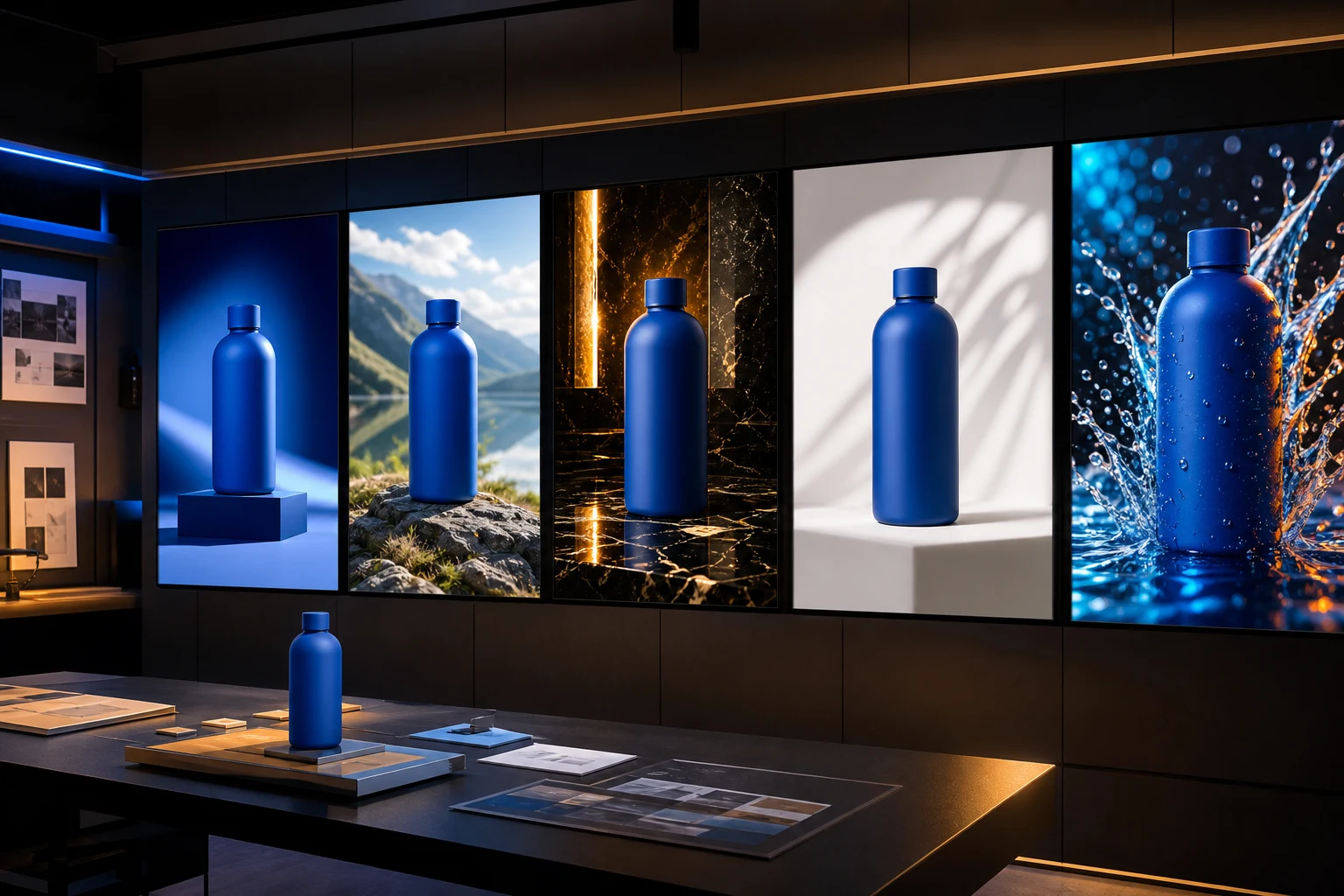
Seedream 5 Lite can help an early creative review compare directions such as:
- Minimal studio.
- Lifestyle context.
- Bold color-block campaign.
- Premium material still life.
- Outdoor performance scene.
Do not treat five attractive but unrelated images as an experiment. A valid comparison should keep the product, audience, placement, and offer constant while changing one creative idea.
A practical ad-creative workflow
1. Write the approved claim separately
Keep factual copy outside the image-generation prompt until it has been checked. The prompt can reserve space for it.
2. Prepare clean references
Use sharp product angles with reliable color and visible edge detail. Remove temporary stickers, clutter, and misleading reflections.
3. Generate one master direction
Approve product identity, visual hierarchy, and campaign mood before expanding to more placements.
4. Produce intentional ratio variants
Create square, portrait, landscape, and vertical versions with the subject repositioned for each placement. Meta's guidance describes image, video, carousel, Stories, and Reels placements; check the current Instagram advertising formats before delivery.
5. Add final typography and brand assets
Use verified source files for logos, pricing, dates, CTA text, disclaimers, and regulated claims. Check font and reference-image licensing.
6. Build a test matrix
Change one useful variable per version:
| Variant | Product | Offer | Placement | Creative variable | | --- | --- | --- | --- | --- | | A | Fixed | Fixed | Fixed | Minimal studio background | | B | Fixed | Fixed | Fixed | Lifestyle use context | | C | Fixed | Fixed | Fixed | Close product crop |
This structure makes performance differences easier to interpret.
7. Inspect before publishing
Zoom in for product details and zoom out for hierarchy. Check crop boundaries, contrast behind copy, edges, reflections, shadows, hands, faces, and unintended symbols.
How to compare generators fairly
Use the same:
- Source product image.
- Placement and aspect ratio.
- Audience and campaign goal.
- Scene description.
- Product-preservation rules.
- Output review checklist.
Record the model and date because capabilities change. Compare first-pass accuracy, revision effort, identity preservation, usable output rate, and total generation cost—not just the best image from many attempts.
Common failure modes
- Product details change between variants.
- AI-generated copy contains subtle errors.
- The scene makes an unsupported performance claim.
- A portrait is cropped poorly for vertical or square placement.
- Brand logos or packaging are invented.
- Reflections and contact shadows look physically inconsistent.
- Every variant changes too many variables to measure.
- The image is approved without checking rights, likenesses, and platform policy.
For Instagram-specific organic campaign planning, see Best AI Instagram Post Generators for Visual Campaigns. For ad copy with product imagery, keep the visual and factual approval processes connected but distinct.
Final checklist
- Product identity matches the approved source.
- The creative supports one clear campaign promise.
- Each placement has an intentional composition.
- Final copy and logos come from verified source files.
- Claims are supported and approved.
- Variants change one measurable creative idea.
- Rights, brand rules, and platform policies were reviewed.
- The result remains clear at real delivery size.
Create an ad visual
Start with the AI Ad Image Generator, upload a clean reference when product identity matters, and generate one controlled campaign direction before producing the full placement set.