
One source image
Use an image with at least 262,144 pixels (for example, 512 × 512), with distinct elements you want to separate.
Preview

Choose the page that matches the direction and task you want to complete.

Open GPT Image 2.6 in AI Image Editor.

Open Grok Imagine Image 2.0 in AI Image Editor.

Open Qwen Image 3.0 in AI Image Editor.

Open Midjourney V8.2 in AI Image Editor.

Open Nano Banana 2 Lite in AI Image Editor.

Open Seedream 5.5 in AI Image Editor.

Open Seedream 5.0 Flash in AI Image Editor.

Open Nano Banana 2.1 in AI Image Editor.
Decompose one PNG or JPEG into a base image and separate transparent PNG layers. Review the returned layer order and inspect edges; this is image output, not a PSD project.
Use an image with at least 262,144 pixels (for example, 512 × 512), with distinct elements you want to separate.
You get a base PNG and separate transparent PNG layers, up to the selected limit. The actual count depends on the image.
It does not create a PSD, vector file, or professional layer-editing project. Use a graphics editor to arrange and refine the returned PNGs.
Choose 2, 4, 8 or 16 total images, including the base. Turn on text recognition for clear lettering. Check the displayed credits before submitting.
It does not create a PSD, vector file, or professional layer-editing project. Use a graphics editor to arrange and refine the returned PNGs.
Inspect text, small objects, shadows, and partially hidden areas. A decomposition can separate visible regions, but it cannot recover image content that was never present.
We left the prompt blank. Layerize returned a base image and separate PNGs for the headline, subtitle, pink shape, saucer, cup and coffee beans. The artwork on the left is the input. The tiles show all six returned layers.
Text recognition returned SUNDAY COFFEE and TASTING SESSION with their positions. The text layers are PNGs. Use the recognized words to set editable type again in your design tool.
Move the cup and saucer as separate pieces. The pink shape stops where the cup and saucer covered it, so check that edge if you move the ceramics.
Drag the divider to compare the finished poster with the base image Layerize returned.


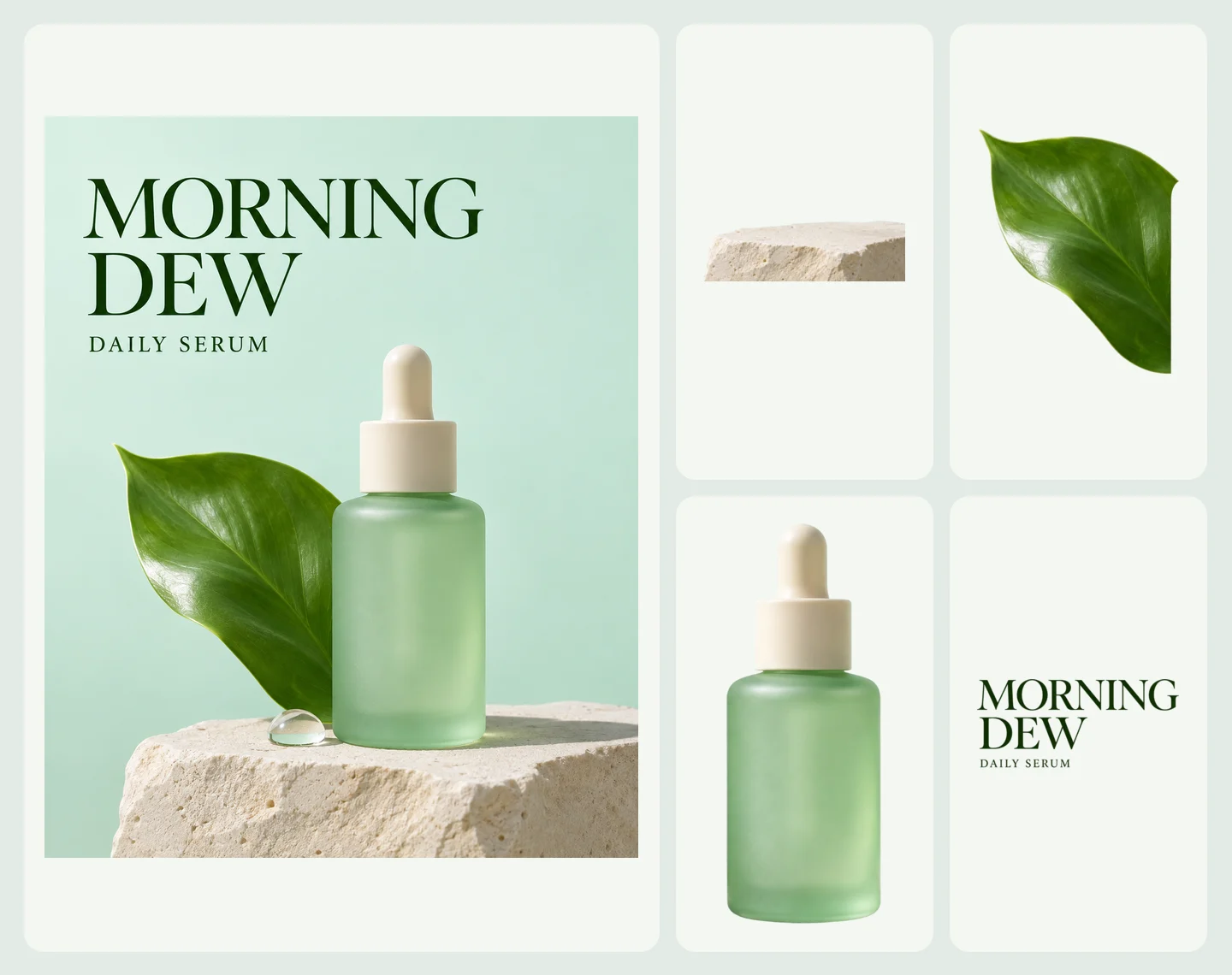
We asked for the bottle, leaf, limestone platform and text. Layerize returned those four PNG layers and a base image. The headline and subtitle came back together in one layer.
The leaf layer ends at the area covered by the bottle. Moving the bottle can expose that edge, so preview the pieces together before changing the layout.
Both runs used 1K, a maximum of 10 outputs and text recognition. The poster used 24 SceneFlare credits and the ad used 18, after unused credits were returned.
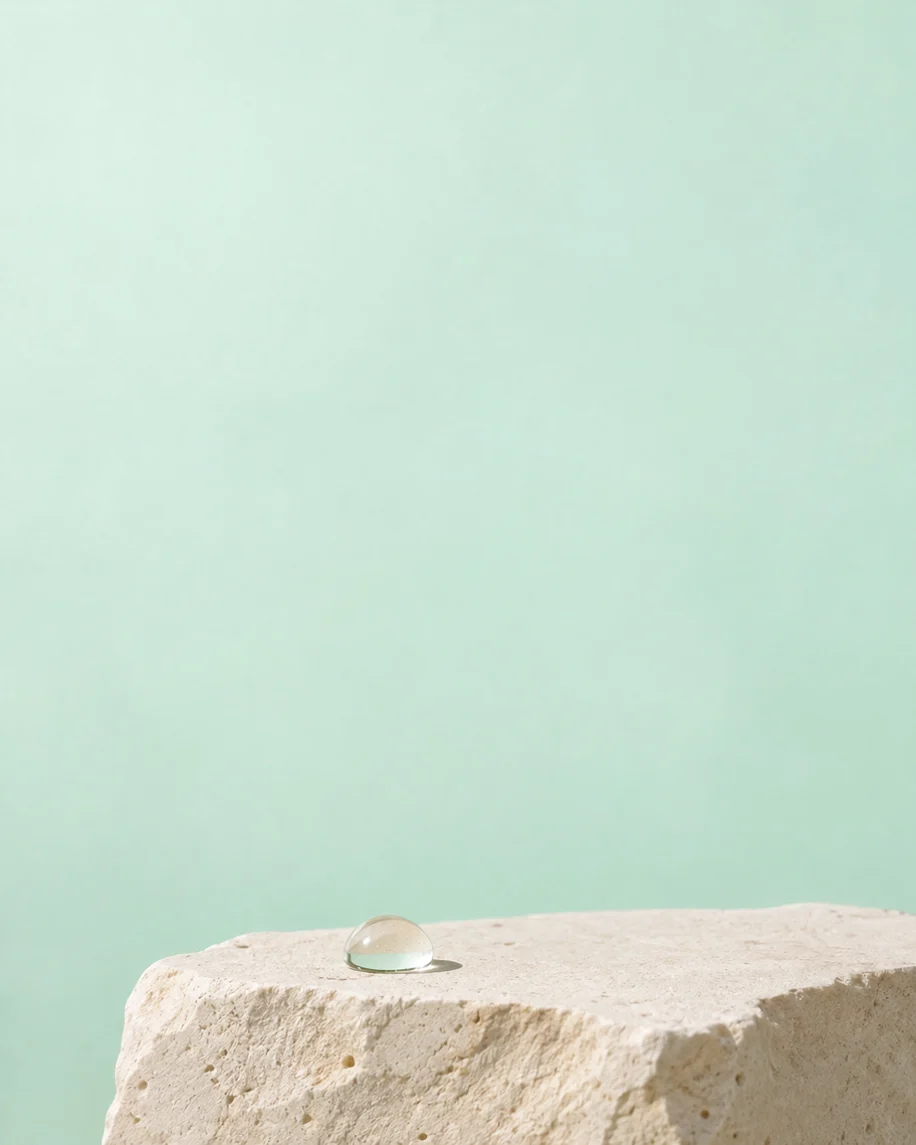
The base still shows the droplet and part of the platform. Inspect what remains on the base before rebuilding the ad.

Use an image with at least 262,144 pixels (for example, 512 × 512), with distinct elements you want to separate.
Choose 2, 4, 8 or 16 total images, including the base. Turn on text recognition for clear lettering. Check the displayed credits before submitting.
It does not create a PSD, vector file, or professional layer-editing project. Use a graphics editor to arrange and refine the returned PNGs.
You get a base PNG and separate transparent PNG layers, up to the selected limit. The actual count depends on the image.
It does not create a PSD, vector file, or professional layer-editing project. Use a graphics editor to arrange and refine the returned PNGs.
Text recognition can identify clear lettering, but it does not create editable text or a font file. Verify spelling and spacing before rebuilding the text.
Decompose one PNG or JPEG into a base image and separate transparent PNG layers. Review the returned layer order and inspect edges; this is image output, not a PSD project.
InputUse an image with at least 262,144 pixels (for example, 512 × 512), with distinct elements you want to separate.
OutputYou get a base PNG and separate transparent PNG layers, up to the selected limit. The actual count depends on the image.
Keep in mindIt does not create a PSD, vector file, or professional layer-editing project. Use a graphics editor to arrange and refine the returned PNGs.