
Start with one visible face
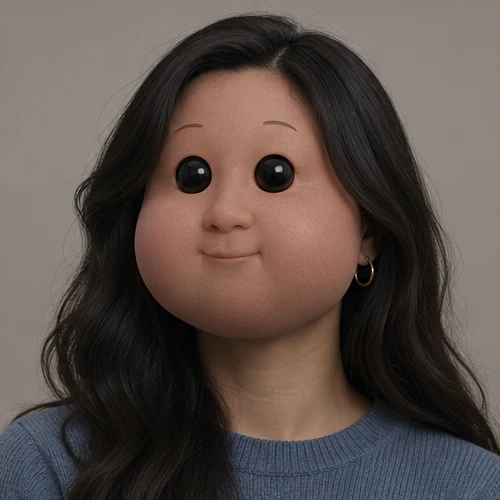
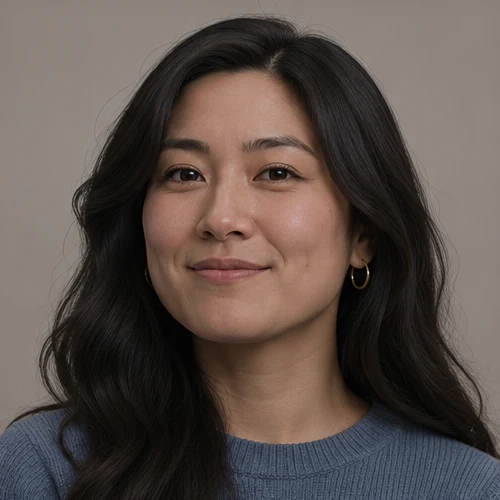
Baby Doll Face Filter
Preview
Related image tools
For broader edits, explore the image editor.
Kling Image 4.0
Open Kling Image 4.0 in AI Image Editor.

Seedream 5.5 Layerize
Open Seedream 5.5 Layerize in AI Image Editor.

GPT Image 2.6
Open GPT Image 2.6 in AI Image Editor.

Grok Imagine Image 2.0
Open Grok Imagine Image 2.0 in AI Image Editor.

Qwen Image 3.0
Open Qwen Image 3.0 in AI Image Editor.

Midjourney V8.2
Open Midjourney V8.2 in AI Image Editor.

Nano Banana 2 Lite
Open Nano Banana 2 Lite in AI Image Editor.

Seedream 5.5
Open Seedream 5.5 in AI Image Editor.
Baby Doll Face Filter
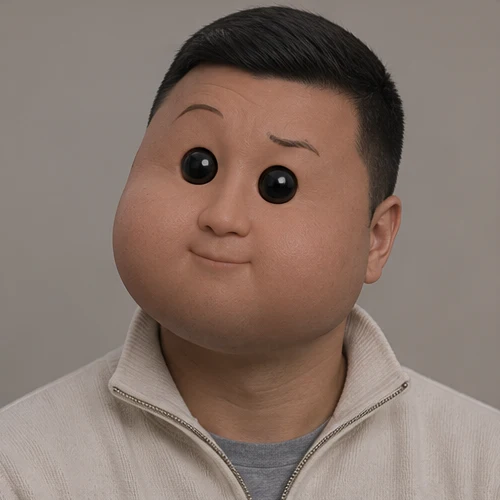
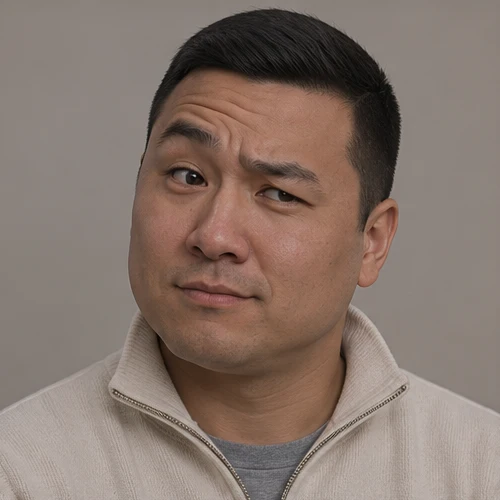
Give an adult portrait a round baby-doll face with full cheeks, a small nose and glossy dark eyes. Keep the original hairstyle, outfit and adult body.
A quiet doll-face smileA playful doll expression
Change facial proportions
Check the expression and edges
Choose a starting point
Start with one visible face
Upload a clear adult portrait. Use even light so the cheeks, nose and expression are easy to compare.
Change facial proportions
Ask for rounded doll cheeks, a small flat nose and glossy dark eyes. Keep the original hair, skin tone and clothing.
Check the expression and edges
Compare the mouth, face outline and neck with the source. Keep the face connected naturally to the same adult body.
Ways to use this tool
A quiet doll-face smile
Keep the short curls, navy shirt and framing. Round the cheeks and shorten the nose; add glossy beadlike eyes and a small smile.
Change facial proportions
Ask for rounded doll cheeks, a small flat nose and glossy dark eyes. Keep the original hair, skin tone and clothing.
Check the expression and edges
Compare the mouth, face outline and neck with the source. Keep the face connected naturally to the same adult body.
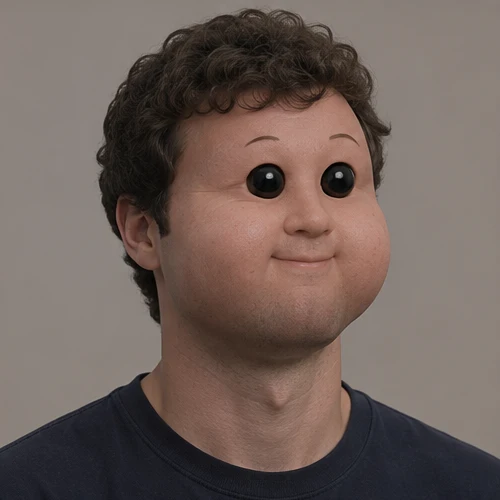

A playful doll expression
Keep the person’s hair and ecru shirt. Use full doll cheeks and dark shiny eyes, with a slight smirk and raised eyebrow.
Change facial proportions
Ask for rounded doll cheeks, a small flat nose and glossy dark eyes. Keep the original hair, skin tone and clothing.
Check the expression and edges
Compare the mouth, face outline and neck with the source. Keep the face connected naturally to the same adult body.
How to use this page
01
Choose a source photo
Upload a clear adult portrait. Use even light so the cheeks, nose and expression are easy to compare.
02
Describe the change
Ask for rounded doll cheeks, a small flat nose and glossy dark eyes. Keep the original hair, skin tone and clothing.
03
Check before saving
Compare the mouth, face outline and neck with the source. Keep the face connected naturally to the same adult body.
Questions before you start
What should I upload?
Upload a clear adult portrait. Use even light so the cheeks, nose and expression are easy to compare.
What should I check?
Compare the mouth, face outline and neck with the source. Keep the face connected naturally to the same adult body.
What should I know before using the result?
This is a stylized face edit, not an age estimate or an image of how someone actually looked as a baby.
Baby Doll Face Filter
Give an adult portrait a round baby-doll face with full cheeks, a small nose and glossy dark eyes. Keep the original hairstyle, outfit and adult body.