
Start with a clear face
Funny Face Filter
Preview
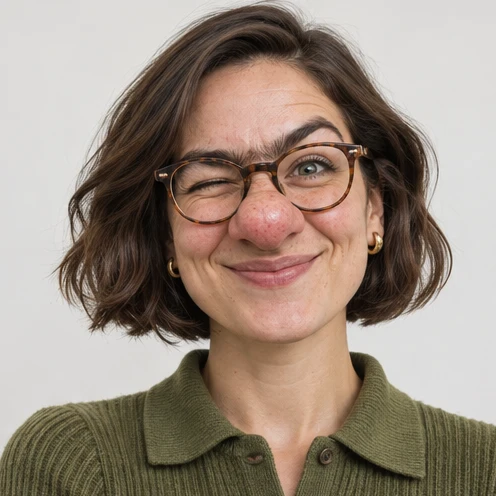
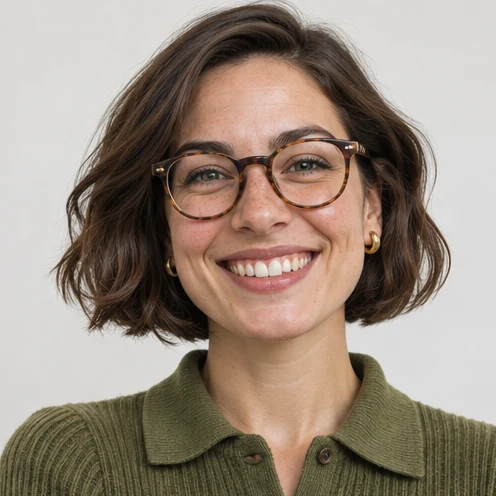
Images illustrate the workflow and are not verified results from this tool.
Related image tools
Explore more ways to work with a source portrait.

Seedream 5.5 Layerize
Open Seedream 5.5 Layerize in AI Image Editor.

GPT Image 2.6
Open GPT Image 2.6 in AI Image Editor.

Grok Imagine Image 2.0
Open Grok Imagine Image 2.0 in AI Image Editor.

Qwen Image 3.0
Open Qwen Image 3.0 in AI Image Editor.

Midjourney V8.2
Open Midjourney V8.2 in AI Image Editor.

Nano Banana 2 Lite
Open Nano Banana 2 Lite in AI Image Editor.

Seedream 5.5
Open Seedream 5.5 in AI Image Editor.

Seedream 5.0 Flash
Open Seedream 5.0 Flash in AI Image Editor.
Funny Face Filter
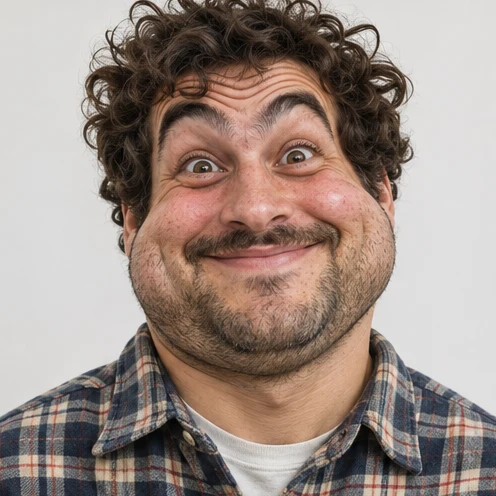
Turn one portrait into a playful caricature by exaggerating a few facial details while keeping the person recognizable.
Rosy nose and front teethRound cheeks and raised brows
Pick one or two features
Check the expression
Choose a starting point
Start with a clear face
Use a well-lit portrait with the eyes and mouth visible. The same framing makes the change easy to compare.
Pick one or two features
Try a rosy bulbous nose, oversized front teeth or noticeably round cheeks. Ask the editor to preserve the hairstyle and outfit.
Check the expression
Zoom in on the eyes and lips. Keep the exaggerated expression readable against the original face and background.
Ways to use this tool
Images illustrate the workflow and are not verified results from this tool.
Rosy nose and front teeth
Give this portrait a rosy rounded nose and oversized front teeth. Preserve the gaze, hair and framing.
Pick one or two features
Try a rosy bulbous nose, oversized front teeth or noticeably round cheeks. Ask the editor to preserve the hairstyle and outfit.
Check the expression
Zoom in on the eyes and lips. Keep the exaggerated expression readable against the original face and background.
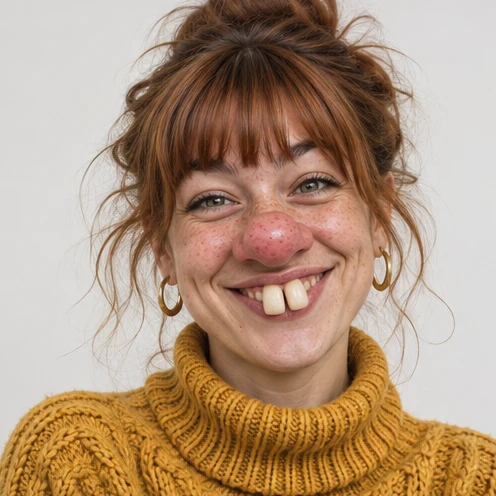
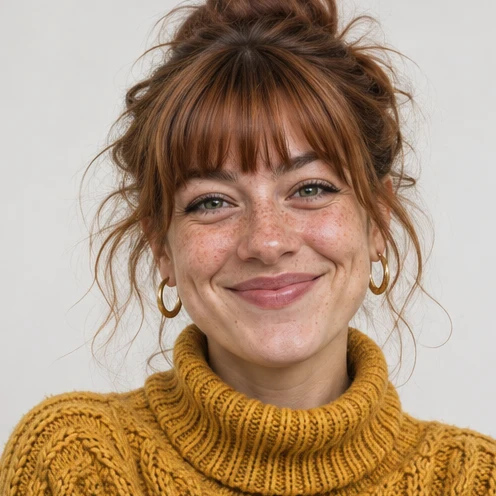
Round cheeks and raised brows
Give the person round cheeks and comically raised brows. Keep the smile and background in place.
Pick one or two features
Try a rosy bulbous nose, oversized front teeth or noticeably round cheeks. Ask the editor to preserve the hairstyle and outfit.
Check the expression
Zoom in on the eyes and lips. Keep the exaggerated expression readable against the original face and background.

How to use this page
01
Add your photo
Upload one sharp portrait with the eyes and outline visible.
02
Pick a prompt
Select an example or describe the treatment you want. Name the details to keep.
03
Generate and compare
Compare the result with the source at the size you plan to use, then save the image.
Questions before you start
What should I upload?
Use a well-lit portrait with the eyes and mouth visible. The same framing makes the change easy to compare.
What should I check?
Zoom in on the eyes and lips. Keep the exaggerated expression readable against the original face and background.
What should I know before using the result?
The editor can change small facial or clothing details. Compare the output with the source before saving.
Funny Face Filter
Turn one portrait into a playful caricature by exaggerating a few facial details while keeping the person recognizable.