
Pick a clear reference photo
Game Loading Screen Portrait
Preview
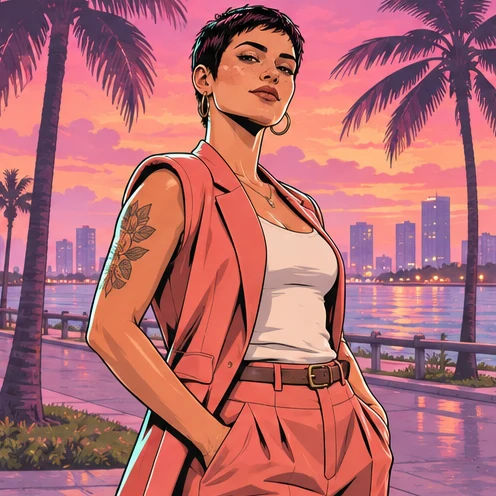
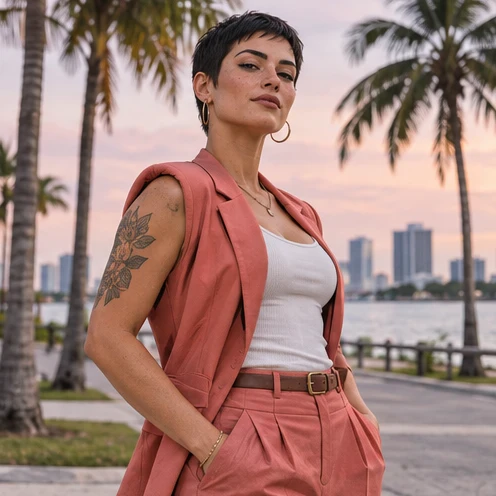
Images illustrate the workflow and are not verified results from this tool.
Related image tools
Explore more ways to work with a source portrait.

Seedream 5.5 Layerize
Open Seedream 5.5 Layerize in AI Image Editor.

GPT Image 2.6
Open GPT Image 2.6 in AI Image Editor.

Grok Imagine Image 2.0
Open Grok Imagine Image 2.0 in AI Image Editor.

Qwen Image 3.0
Open Qwen Image 3.0 in AI Image Editor.

Midjourney V8.2
Open Midjourney V8.2 in AI Image Editor.

Nano Banana 2 Lite
Open Nano Banana 2 Lite in AI Image Editor.

Seedream 5.5
Open Seedream 5.5 in AI Image Editor.

Seedream 5.0 Flash
Open Seedream 5.0 Flash in AI Image Editor.
Game Loading Screen Portrait
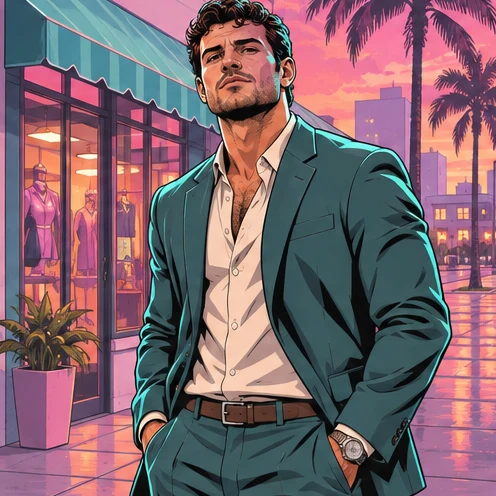
Turn a photo into a still game loading-screen portrait with ink outlines, a neon coastal street and a sunset palette.
Coastal sunset by a parked coupeNight storefront
Build a neon street around the portrait
Check the illustration at phone size
Choose a starting point
Pick a clear reference photo
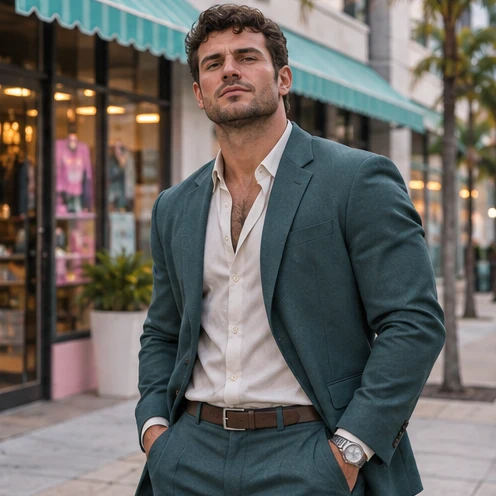
Use one portrait with a readable pose and some space around the person. Ask the editor to preserve the outfit and facial features.
Build a neon street around the portrait
Describe pink sunset light, palms, cyan reflections or a parked coupe. Keep the background simpler than the main subject.
Check the illustration at phone size
Make sure the face, pose and silhouette still read on a small screen. Leave open space if you plan to add your own text later.
Ways to use this tool
Images illustrate the workflow and are not verified results from this tool.
Coastal sunset by a parked coupe
Redraw my photo as an original ink-outlined loading-screen portrait beside an unbranded coupe, with palms and a pink sunset. Preserve my pose and outfit. Add no lettering.
Build a neon street around the portrait
Describe pink sunset light, palms, cyan reflections or a parked coupe. Keep the background simpler than the main subject.
Check the illustration at phone size
Make sure the face, pose and silhouette still read on a small screen. Leave open space if you plan to add your own text later.
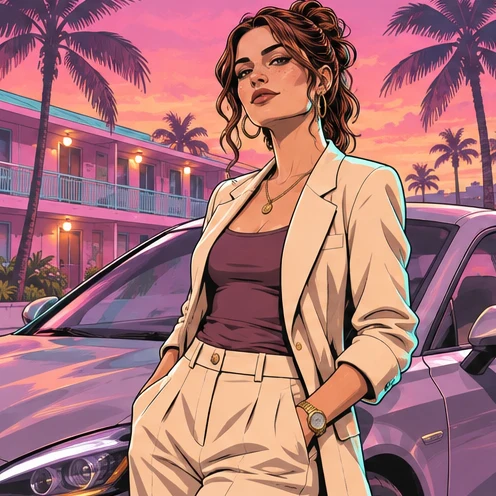
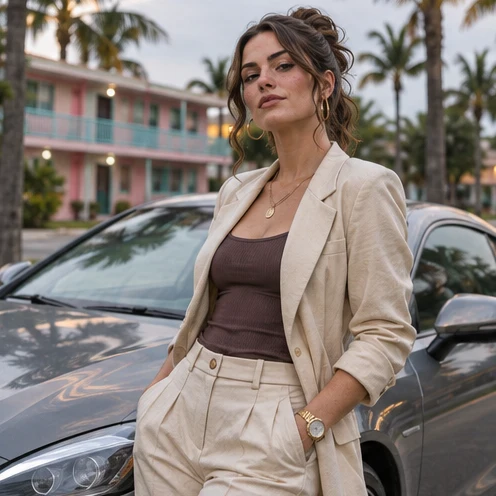
Night storefront
Draw a comic-style portrait against a neon storefront with cyan reflections and a purple sky. Keep the person and outfit recognizable, with no lettering.
Build a neon street around the portrait
Describe pink sunset light, palms, cyan reflections or a parked coupe. Keep the background simpler than the main subject.
Check the illustration at phone size
Make sure the face, pose and silhouette still read on a small screen. Leave open space if you plan to add your own text later.
How to use this page
01
Add your photo
Upload one sharp portrait with the eyes and outline visible.
02
Pick a prompt
Select an example or describe the treatment you want. Name the details to keep.
03
Generate and compare
Compare the result with the source at the size you plan to use, then save the image.
Questions before you start
What should I upload?
Use one portrait with a readable pose and some space around the person. Ask the editor to preserve the outfit and facial features.
What should I check?
Make sure the face, pose and silhouette still read on a small screen. Leave open space if you plan to add your own text later.
What should I know before using the result?
The editor can change small facial or clothing details. Compare the output with the source before saving.
Game Loading Screen Portrait
Turn a photo into a still game loading-screen portrait with ink outlines, a neon coastal street and a sunset palette.