
Choose a close portrait
Sunlight Eye Portrait AI: Horizontal Eye Light
Preview
Related image tools
For broader edits, explore the image editor.

Seedream 5.5 Layerize
Open Seedream 5.5 Layerize in AI Image Editor.

GPT Image 2.6
Open GPT Image 2.6 in AI Image Editor.

Grok Imagine Image 2.0
Open Grok Imagine Image 2.0 in AI Image Editor.

Qwen Image 3.0
Open Qwen Image 3.0 in AI Image Editor.

Midjourney V8.2
Open Midjourney V8.2 in AI Image Editor.

Nano Banana 2 Lite
Open Nano Banana 2 Lite in AI Image Editor.

Seedream 5.5
Open Seedream 5.5 in AI Image Editor.

Seedream 5.0 Flash
Open Seedream 5.0 Flash in AI Image Editor.
Sunlight Eye Portrait
One strip of light is enough
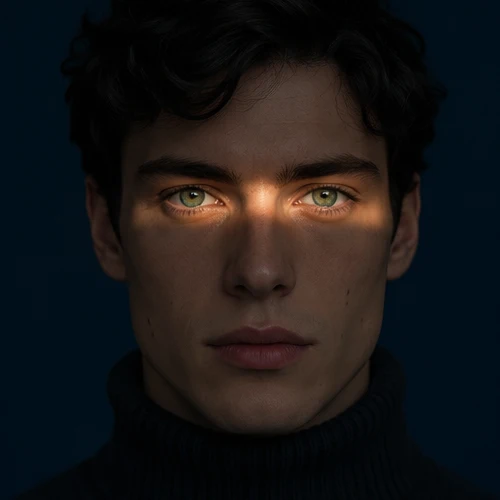
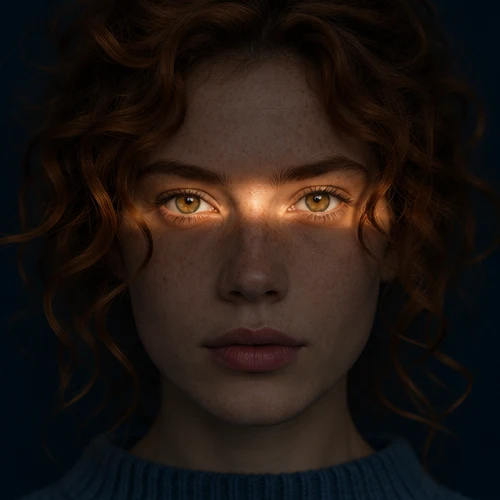
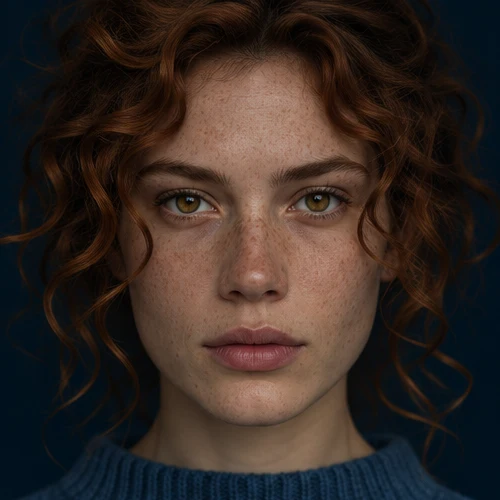
In @Taaruk_’s early examples, one band crosses both irises and the bridge of the nose. The forehead and lower face remain legible in shadow. Upload a clear portrait and recreate the light without borrowing the example’s face, eye color, or outfit.
Defined window lightSofter window light
Place the light over the eyes
Keep the eye color natural
What makes the effect read
Choose a close portrait
Upload a front-facing portrait with both eyes in focus. Keep the original gaze and framing.
Place the light over the eyes
Ask for a narrow horizontal beam across both irises and the bridge of the nose. Leave the cheeks and mouth in shadow.
Keep the eye color natural
Compare iris color and skin tone with the source. Check that the catchlights follow the band of light.
Ways to use this tool
A warm eye-light portrait
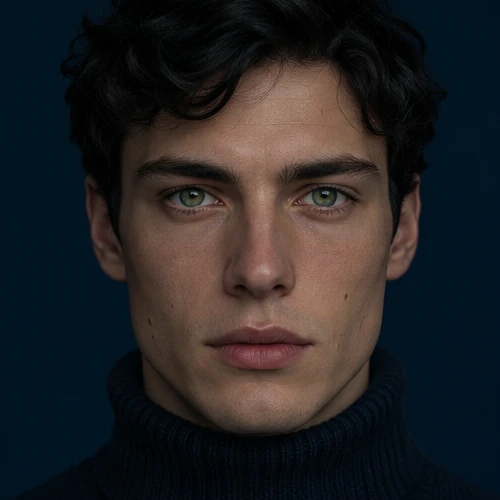
Keep the face and crop. Put a thin strip of honey-colored light across both eyes and leave the navy background dark.
Place the light over the eyes
Ask for a narrow horizontal beam across both irises and the bridge of the nose. Leave the cheeks and mouth in shadow.
Keep the eye color natural
Compare iris color and skin tone with the source. Check that the catchlights follow the band of light.
A portrait with softer shadows
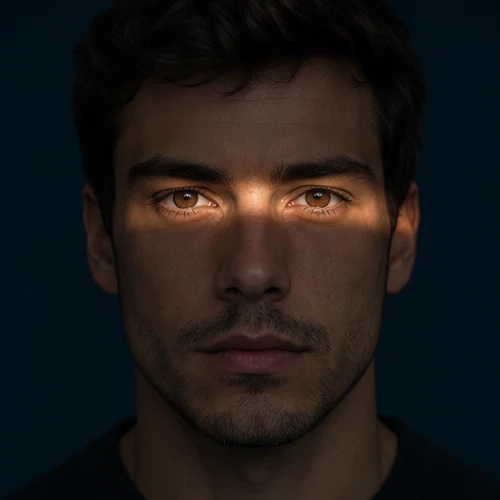
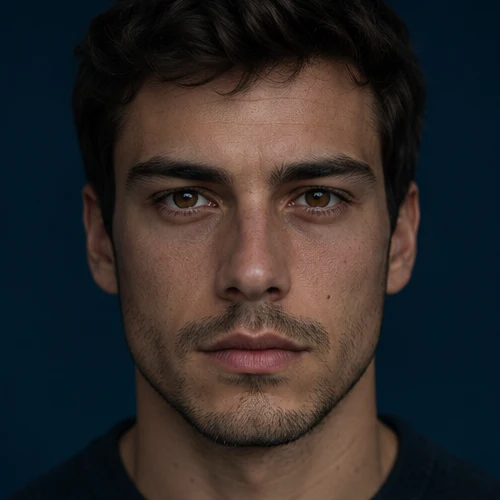
Keep the original iris color and curls. Use an amber band just across the eyes with a soft falloff into shadow.
Place the light over the eyes
Ask for a narrow horizontal beam across both irises and the bridge of the nose. Leave the cheeks and mouth in shadow.
Keep the eye color natural
Compare iris color and skin tone with the source. Check that the catchlights follow the band of light.
How to make a sunlight eye portrait
01
Start with both eyes visible
Upload one level, close portrait with both eyes open and sharp. Heavy lens glare, hair over an eye or a strong head tilt makes the light harder to place.
02
Add optional lighting notes
The tool applies a horizontal warm window-light band across both eyes automatically. Add optional instructions if you want softer shadows or subtle warmth tweaks.
03
Check the iris color and shadow
Zoom in: both irises should have their original color, the band should cross the nose bridge, and the cheeks and mouth should stay darker.
Questions before you start
Is this a filter or a video effect?
It is an AI photo edit that produces a still. It does not animate the subject, add audio or guarantee a pixel-perfect relight.
What if the light falls on the forehead?
Use an eye-level source and ask for one band centered on both irises rather than the eyebrows. Keep the forehead and mouth in shadow.
Will it change brown eyes to blue or green?
The tool asks to preserve your source iris color. Use a clear photo as input and compare the result before saving; generated details can still drift.
Sunlight Eye Portrait AI: Horizontal Eye Light
Add a narrow band of sunlight across both eyes in one portrait. Try hard or soft window light and check that the original gaze and iris color stay recognizable.