
Enter the exact wording
AI Text Logo Generator for Wordmark Drafts
Preview
Related image tools
For broader edits, explore the image editor.

Seedream 5.5 Layerize
Open Seedream 5.5 Layerize in AI Image Editor.

GPT Image 2.6
Open GPT Image 2.6 in AI Image Editor.

Grok Imagine Image 2.0
Open Grok Imagine Image 2.0 in AI Image Editor.

Qwen Image 3.0
Open Qwen Image 3.0 in AI Image Editor.

Midjourney V8.2
Open Midjourney V8.2 in AI Image Editor.

Nano Banana 2 Lite
Open Nano Banana 2 Lite in AI Image Editor.

Seedream 5.5
Open Seedream 5.5 in AI Image Editor.

Seedream 5.0 Flash
Open Seedream 5.0 Flash in AI Image Editor.
Text Logo Generator
Make the name do the work
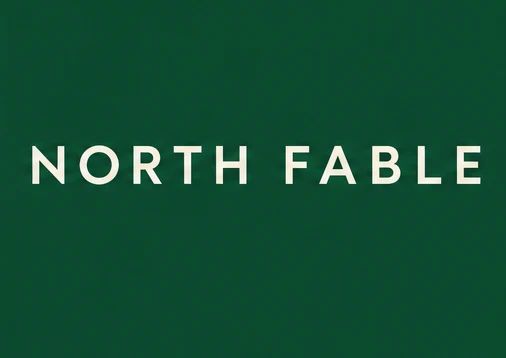
A wordmark is the name itself. Enter your brand name, optionally describe your preferred typography or palette, and judge the letter shapes without an icon or mockup in the way.
One-line serif wordmarkStacked sans-serif wordmark
Choose one typographic direction
Read every letter at small size
What to check in a wordmark draft
Enter the exact wording
Type only the brand name or characters you want rendered in the Logo text field, keeping the exact capitalization and spaces.
Choose one typographic direction
Specify serif or sans serif, weight and spacing. Use a plain field with adequate contrast so the letters stay readable.
Read every letter at small size
Check spelling and spacing against your brief. Reduce the preview to the size of a shop header or profile icon to test legibility.
Ways to use this tool
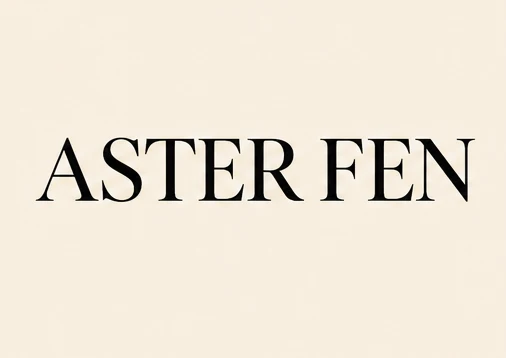
A refined serif name
Set “ASTER FEN” on one line in crisp black serif capitals on warm ivory, with generous margins and no icon.
Choose one typographic direction
Specify serif or sans serif, weight and spacing. Use a plain field with adequate contrast so the letters stay readable.
Read every letter at small size
Check spelling and spacing against your brief. Reduce the preview to the size of a shop header or profile icon to test legibility.
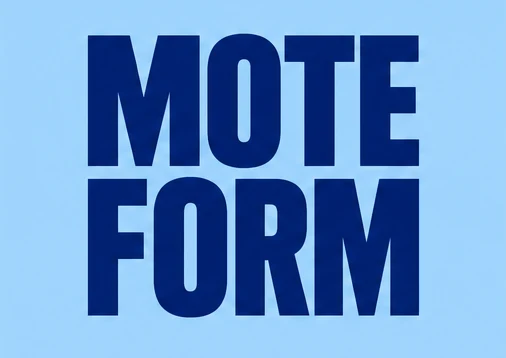
A stacked studio name
Put “MOTE” above “FORM” in bold condensed blue sans serif, centered on pale blue with no additional text.
Choose one typographic direction
Specify serif or sans serif, weight and spacing. Use a plain field with adequate contrast so the letters stay readable.
Read every letter at small size
Check spelling and spacing against your brief. Reduce the preview to the size of a shop header or profile icon to test legibility.
How to make a text-only logo draft
01
Enter your exact name
Type your brand name in the Logo text field with the exact capitals, spacing, or line breaks you want.
02
Add optional style & palette notes
By default the tool generates a clean flat wordmark. Use the optional custom style field to specify serif or sans-serif type, stacked lines, ink colors, or background tone.
03
Proofread and inspect at small size
Compare every character against your brief, then shrink the image to check spacing and legibility. Rebuild the approved lettering as vector artwork if needed.
Questions before you start
Does the tool guarantee exact lettering?
No. The prompt requests the literal name, but the image model can invent, omit or repeat letters. Keep the name short, remove the tagline and proofread the result.
Can I download an editable SVG or font?
This page generates a raster image. It does not export vector paths or a font file; recreate the approved draft in a vector editor for scalable artwork.
Can I use the draft as my final brand logo?
Treat it as a concept until the text and layout are verified and any trademark or font rights have been checked separately.
AI Text Logo Generator for Wordmark Drafts
Turn a brand name into a text-only logo concept. Compare type and spacing, check the spelling, and use the raster draft as a starting point for vector artwork.