



Glasses & hair
Keeps eyeglass rims, lenses, and stray hair strands inside the sharp focal plane.
Preview
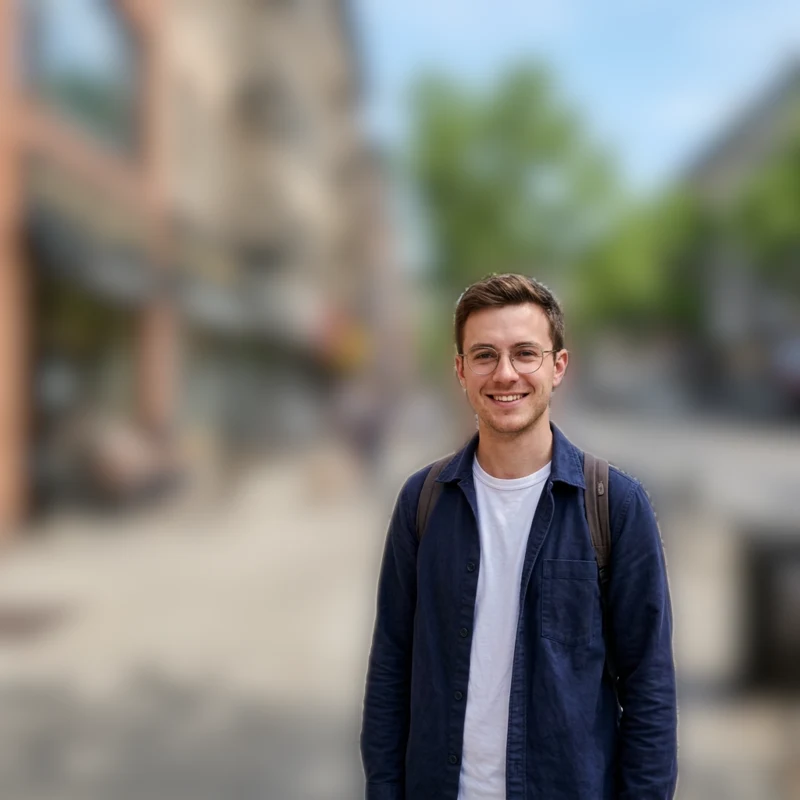
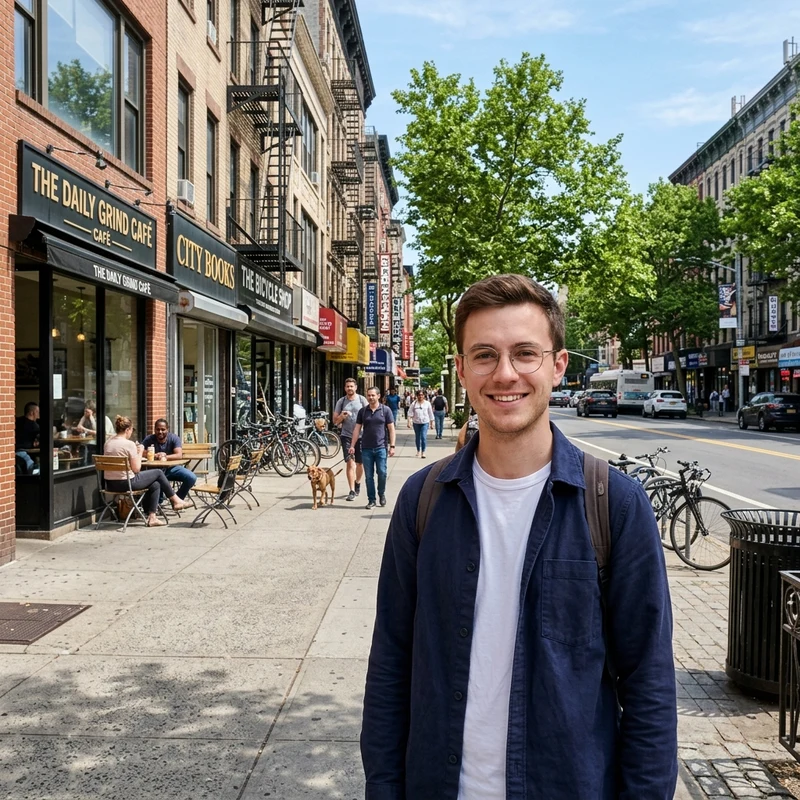
Explore companion tools for background replacement and cleanup.
Upload your photo, choose a lens bokeh style and blur strength, and soften background clutter without flat halo artifacts around glasses or hair.
Keeps eyeglass rims, lenses, and stray hair strands inside the sharp focal plane.
Switch between Portrait Bokeh, Soft, Creamy Bokeh, and Motion blur.
Inspect transitions along shoulders, frames, and tabletop planes against your upload.
Tailor the out-of-focus character and intensity to fit portraits, product shots, or street snapshots.
Thin frames, lens reflections, and flyaway strands stay crisp instead of melting into the blurred backdrop.
Choose natural portrait lens falloff, gentle ambient softening, creamy specular bokeh, or directional motion blur.
Foreground contact shadows remain grounded before the blur gradually deepens behind the focal plane.
Upload one image and switch lens look and strength immediately instead of painting tedious perimeter selections.
Dial in just enough separation to quiet distractions or push a heavy f/1.4 blur behind your subject.
Composition, skin tones, garment detail, and directional highlights stay aligned with your uploaded photograph.
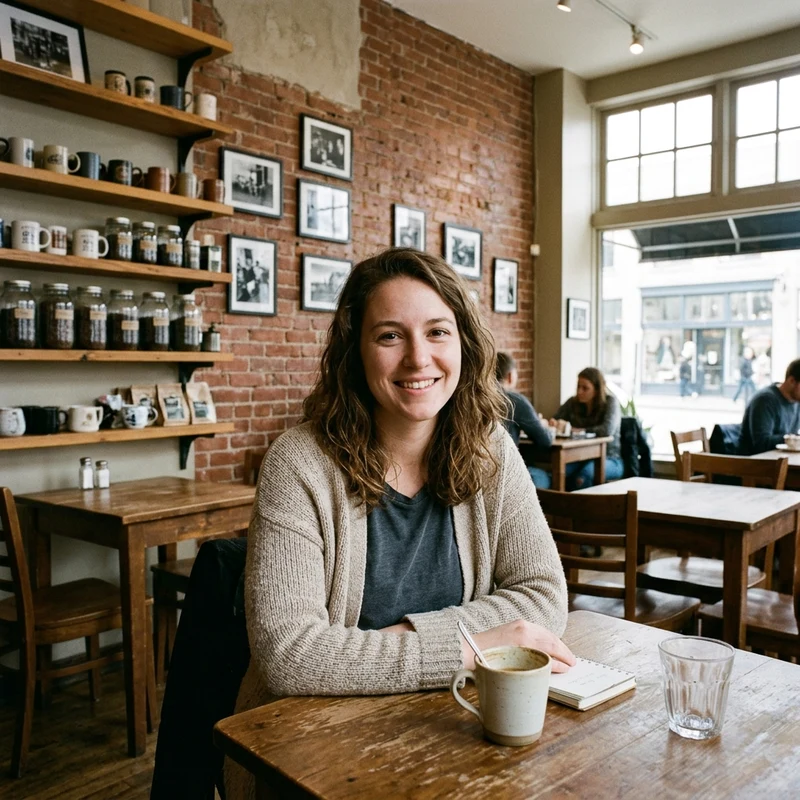
Warm café shelves, sunlit windows, and a distant patron soften into gentle bokeh while wavy hair strands and knit textures stay crisp.
Check the loose curls beside her shoulders where dark hair meets blurred café shelving behind her.
Notice how the coffee mug and café room recede progressively into calm ambient bokeh.

Dark eyeglass frames and plaid flannel collar edges stay razor sharp while book spines and framed botanical art soften smoothly behind.
Confirm both eyeglass rims, bridge, and temple arms remain tack sharp against blurred book rows.
Distracting book spines and framed foliage drop cleanly out of focus right behind his shoulders.


Add a portrait, product shot, or snapshot with your main subject clearly visible.
Choose Portrait, Soft, Creamy, or Motion blur and select Light, Medium, or Strong.
Check hair, glasses, and ground contact against the original before saving your result.
Yes. The blur edit preserves eyeglass rims, lens reflections, stray hair strands, and foreground contact depth inside the sharp focal plane while softening only the background smoothly, without harsh sticker cutouts or halo fringes.
Portrait Bokeh and Creamy Bokeh give natural lens depth for headshots and street portraits, while Soft keeps subtle room geometry readable behind tabletop products.
Upload your photo, select a bokeh style and strength, and isolate your subject cleanly.